
App Review: Handcent SMS

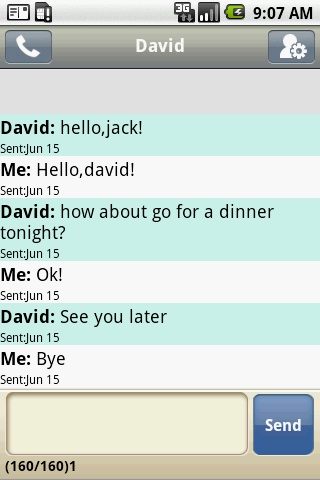 The default SMS client on Android can be kind of boring, but Handcent SMS spices things up all for free! With lots of features that can be personalized to your preferences, you can make your SMS client yours.
You can change display type – traditional Android style or iPhone-like style and also change the colors of incoming and outgoing messages and bubbles. I like how you can add a personalized background to the app, too.
Handcent has 5 font add-ons that you can download (and a keyboard) and use with the app to even further personalize your SMS experience. You can also send MMS (video, photos, audio) via the app, too. MMS will be shown in-line, so you can click on an item and view it directly from Handcent. Search through SMS messages and customize your viewing style based on contact.
The pop-up SMS is great when you receive an SMS and you’re working in another app. You can quick reply and go back to what you were doing.
Save MMS directly from Handcent, no third party app required. You can also save SMS messages to your SD card for future viewing.
Handcent is ad supported, but you won’t always see them while using the app.
See some screenshots below and more information about Handcent’s options:
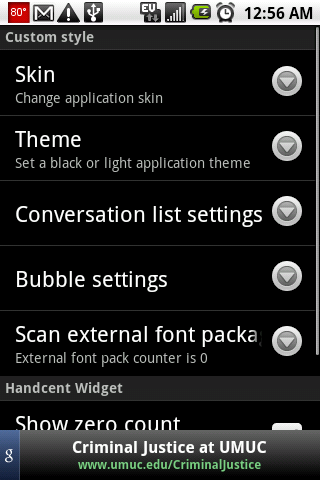
Handcent has a lot of options available, so it might take a while to get things just the way you like them!

This screenshot above shows how easy it is to change the theme from light to dark and send messages to friends. You can set your own display image to show up on the right-hand side of the screen when you send messages out. Use Handcent’s keyboard to type T9 style or regular style. You can also set up various font types to use to further customize your experience.
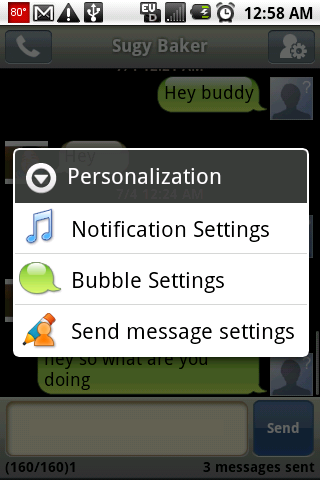
In Handcent, you can also personalize individual messages by clicking on the button on the upper-right hand side of the screen. Personalization is the key to Handcent.
Overall, this app is like SMS on steroids. You can customize your SMS experience to something more interesting than the stock SMS client. Handcent does have some quirks – some users report duplicate SMS messages being sent and you must disable the default (stock) client so you don’t get multiple notifications from the same text message.





This is the most amazing application in the droid store. The amount of customizing you can do with it, is incredible! Once you download Handcent make sure to go back to the droid store and download all of the awesome fonts that go along with this program. Their are handcent font packages (free) and several other varieties for free as well. They all work with handcent!