

App Review: Backgrounds

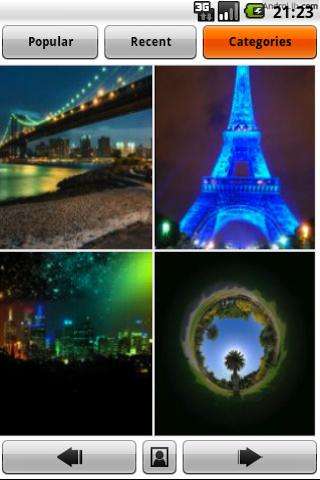 One of my favorite features of Android is the ability to change your wallpaper (backgrounds) to whatever your heart desires.
Backgrounds makes this task easy, even if it is a little daunting to go through hundreds of photos to find that ONE perfect one!
Backgrounds is broken down into dozens of categories, so you can narrow your search to things like trees, stars, buildings, technology, flowers, etc. Once you start searching through a category, you’ll see four (4) photos at a time. use the arrows at the bottom of the screen to go forward and back in your search. Once you see a photo you like, tap on it. Now you’ll see a larger image and can set as wallpaper, set as contact, set as favorite or simply save to your device.
Hitting menu will let you access your favorites, the most popular images, recently added images, go back to categories, search for images and view the slideshow of your favorite images.
The images come from Flickr and there are dozens of new images added daily. If you want an extensive collection of high quality wallpapers, then Backgrounds might be the app for you!
I give this app 4 of 5 stars – it doesn’t seem to bring up even my favorites if I am in an area with no reception. Favorites should have an option to be saved to your SD card to view while offline.
Download “Backgrounds” for free in the Market.
Where do you get your backgrounds from? Let’s hear it in the comments!



