
App Review: Twidroid

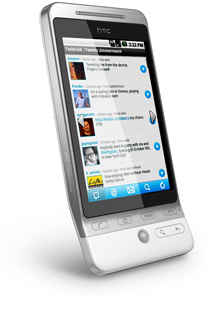 Twidroid, the most popular Twitter client for Android, is the king of mobile Twittering. Since it was released as the first Twitter app, it has matured greatly and offers a wide range of features to please most Android users. The developers update the app frequently, and are very receptive to messages from users around the world about how the app is performing and what features should be added.
Visit the Twidroid features page to decide which version is good for you – I prefer the free version, but the PRO version adds a lot of features that could be useful to heavy users of Twitter!
This review is for the Twidroid free version, which most people will find meets their needs.
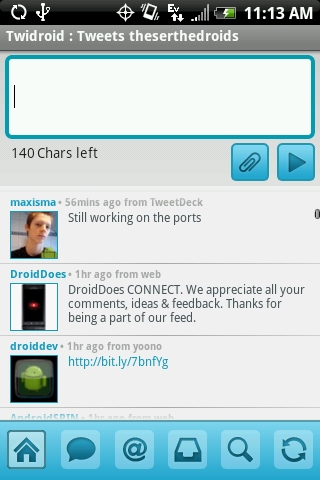
Across the bottom of the screen are the home, new message, replies, direct messages, search and refresh buttons. With my fat fingers, I have problems pressing the buttons, but the average person should have no problems. The compose screen is pretty straightforward – type your message, and depending on your settings, press enter to submit the message or press the arrow to send.
You have a selection of photo and video services to choose from as defaults – so you can easily coordinate your photos through your TwitPic account or shorten links through is.gd, just like you do on TweetDeck or Seesmic.
The settings on Twidroid are comprehensive. The free version only allows for one account, but the PRO version allows for multiple accounts – great for users who keep up with personal and business accounts!
If you want to use Twidroid as your exclusive client, consider turning on the Background Notifications, and tweaking the settings to your personal specifications.
If you’re looking for a full-featured but easy to use client, Twidroid is a great choice. The color scheme is a little wonky, but with the PRO version, you can change the color scheme. Overall, this app gets 4 of 5 stars. If it had a better color scheme like some of the other clients and a little more speed, it would be perfect!
What Twitter client do you use?
Download Twidroid in the Market and let us know what you think in the comments!





Nice review, Ellie! I really like Twidroid, too. It has a simple interface and does all of the Twitter basics well. I am seriously considering upgrading to Twidroid Pro!
Twidroid PRO is a must if you have multiple accounts or make use of Twitter Lists!
I use Seesmic. I used Twidroid until recently but just became too frustrated with some of the behaviors. I think the worst was that tapping a post caused it to rapidly scroll to the bottom instead, which was inconsistent but frequent.
I like Seesmic, too, especially since the last update put the send button on the right-hand side of the screen!
I know this post is old, but I loved Twidroid; but then came the release of Twitter for Android. I love Twitter for Android now, its so clean and the background is animated.
I can’t wait to get 2.1 on my device (Samsung Moment) and take advantage of the great apps available – including Twitter for Android!