

Pandora Radio on the Droid

Pandora Radio is an online streaming music service that uses the “Music Genome Project” (like DNA for songs) to find new music you’ll like based on songs & artists you already know you like. You enter a song or artist, it finds music for you, then as it plays you can give each song a “thumbs up” or “thumbs down” so the station gets more tuned to your preferences the more you listen. If you haven’t used it before, here’s an example of a tuned station:
Upbeat Instrumentals for Work & Study
I have used Pandora radio online for a long time now and always wished I could listen to it while driving. Now that I have a Droid, I can! I just use an auxiliary audio cable to connect the Droid’s headphone jack to the “AUX IN” in my car stereo. I drive a basic pickup truck without many features, but had the stereo I had purchased for my previous car installed, so I’m lucky to have an auxiliary input! Most new cars come with it standard.
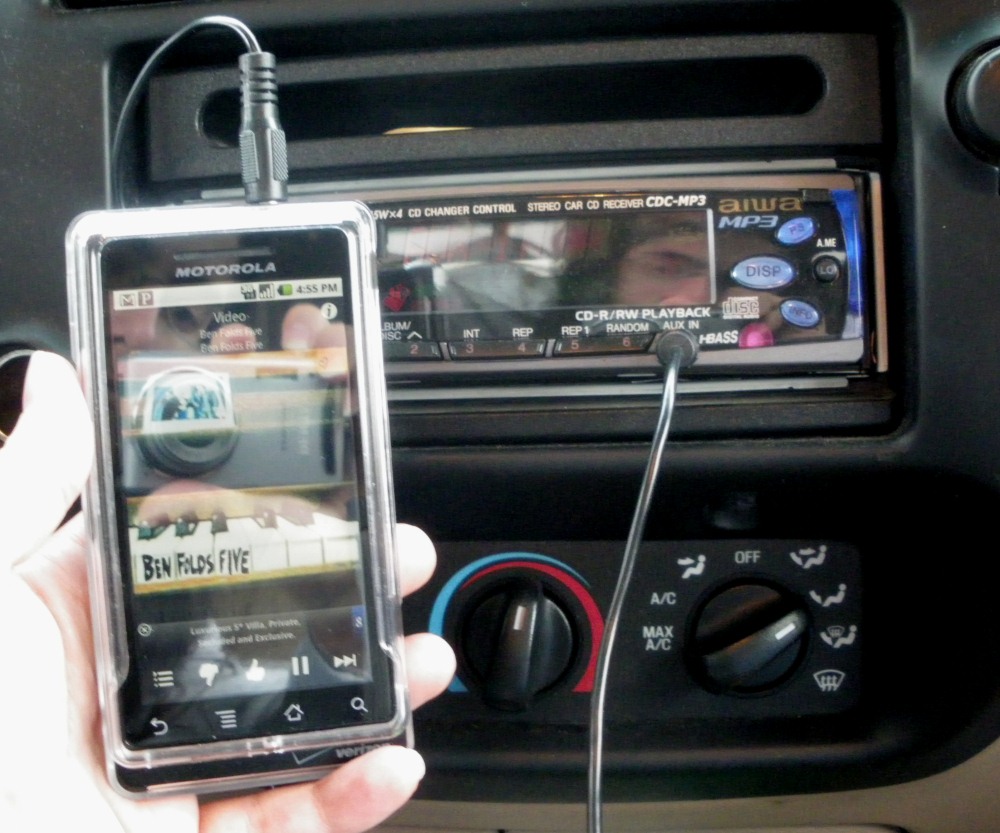
Droid connected to my truck's stereo, playing Pandora Radio
As you can see in the photo (forgive the reflections), while the song is playing from the phone, you have access to the Pandora feedback icons at the bottom of the screen, so you can even thumbs-up and thumbs-down songs on the go! It is all synchronized with your account online, so Pandora stations and preferences you add online will be available on the phone and vice-versa.

To add the Pandora Player widget to your homescreen, long-press on the background, then choose "Widgets", then "Pandora"
You’ll also see a fast-forward icon to skip songs, but since Pandora is a free streaming radio service, you can’t skip too many songs (I believe it is currently 6 skips per hour). They also had to add some commercials to cover the cost of the song royalties, but there are generally few commercials per hour and they are short. The free version of Pandora allows you to listen to up to 40 hours per month – to listen beyond that you’ll need to upgrade to a Pandora One subscription for $36 per year.
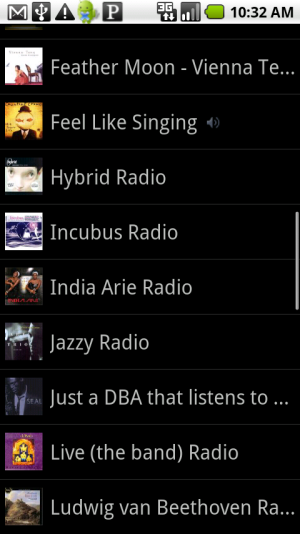
Pandora Stations Display
A note of caution: Streaming music from the internet while driving around town does drain your Droid’s battery life pretty quickly. It probably depends on your stereo and charger, but I can’t use my car charger while listening to music on my phone because it generates an audible buzz, so I always make sure my phone is fully charged before leaving home, and make sure I fully exit the application (quit from the menu) when I’m not listening to it so it’s not running in the background.
Do you listen to Pandora on your Droid or do you use a different music player? Let us know in the comments!




Hey Renee-
I know how to bookmark songs and artists but I cannot figure out how to view the list of songs and artists that I have previously bookmarked. Help please!
Hi Mary! You can view your bookmarked artists and songs from your Pandora profile online. Go to pandora.com, then click on the “Your Profile” button above the player. That will bring up a page with your stations, bookmarked artists, and bookmarked songs.
I don’t see a way to get to the bookmarks from the android app, but you can navigate to your profile in the phone’s browser:
pandora.com/people/yourusername
Pandora is also great when you are commuting via public transit. Only downside is you can’t save songs for listening when you don’t have a signal. Slacker Radio does this, though.
That’s awesome that Pandora is portable.
I’ve used Last.fm for the first time on my phone yesterday to find some old school 50s rock and roll for my niece and it worked pretty well. Obviously it’s still not as good as Pandora though.
And unforuntately being outside of the US I can’t use Pandora.
The closest we have to it here is Spotify which is amazing on the PC, but unfortunately you have to pay £10/month for Premium in order to use it on your phone.
Aw, I hope Pandora is available internationally someday! Thanks for the additional info.
I just bought the Droid X and I am having trouble hearing Pandora on my phone. In fact I cannot hear it at all. The other day it was working fine. All the sounds are turned on. What could be the problem?
Hm, I’m not sure what could be the problem except that the media volume control is separate from the other phone volume levels. Where are you controlling the volume from, the main phone settings menu?
Hi, Mary Ann – have you tried rebooting your phone? Sometimes I get wonkiness (for lack of a better term) and rebooting my phone seems to get things straightened out!
[…] Pandora […]
I want to listen to pandora in my car. Are you giong to have a radio coming out anytime soon for that?
Hi Melanie,
I’m not sure what you’re asking.
This article explains how to hook an Android phone up to a car stereo to be able to play Pandora through your car speakers. (We’re an Android blog.)
We are not affiliated with Pandora Radio. However, I did find this link on their site relating to in-car audio:
http://www.pandora.com/auto
Hi Renee. I have a droidx and I drive a bmw that has an auxiliary input and a usb input. I dieing to listen to pandora in my car. I’m just kind of confused because I’ve read that I need something different than an auxiliary audio cable to connect my droidx. Is there a different way of connecting and if so which way is better? Thanks for your time. =)
Hi Alexa, I’ll have to check with my friend that has a Droid X to find out what you’re referring to. It might have some kind of high-quality audio out via the HDMI port.
However, a regular auxiliary audio cable will work with any device that has a headphone jack. The cables are usually only a few bucks, so you could try the standard way out and see how it sounds in your car.
Thanks for your comment! Let us know if you find anything else out about the other way of connecting your Droid X!