

WomenWithDroids Mobile Edition

If you’ve ever visited WomenWithDroids.com in your phone’s browser, you will have noticed we have a mobile edition of the blog! It has reduced graphics so it’s easy to navigate on the small screen and read on the go.
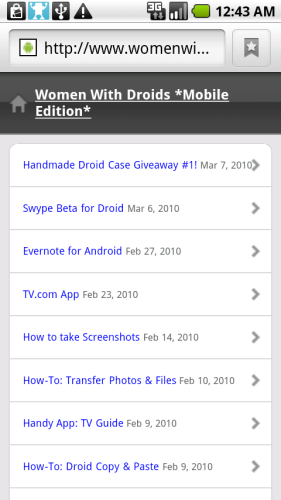
Do you want to know the quickest way to access the latest WomenWithDroids articles on your phone? It’s easy!
(P.S. This trick works for adding a home screen bookmark shortcut to any website and is especially handy for sites with mobile versions!)
- Open your Droid’s built-in web browser and navigate to womenwithdroids.com
- Press the bookmark button (which looks like a little ribbon next to the URL), then click “Add” to add it to your bookmarks.
- Long-press on the bookmark that you just created to edit it, and give it a short name so it fits in the icon text, like “WWD” or “DroidWomen”.
- Go to your phone’s home screen and long-press on the background to bring up the options menu. Select “Shortcuts”.
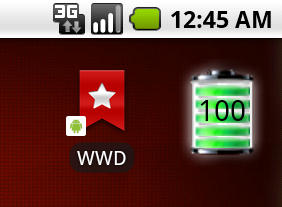
- In the next menu, select “Bookmark”, then pick the shortcut to our site you just created. A bookmark icon will appear on your homescreen and you can long-press it to arrange it or put it in a folder.
- That’s it! Now you can get to Women With Droids blog with one click right from your home screen!
Note: If you prefer to see our “whole” website on your phone instead of the mobile version, just scroll to the bottom of the web page and click the “Exit the Mobile Edition” link. This will set a cookie in your browser so the next time you visit, you will see the non-mobile version again. To reset this option and default back to the Women With Droids Mobile Edition, go into the browser’s Settings menu and click “Clear All Cookie Data”.




Awesome! Now I can read on my commute!
Brilliant! Step by step was spot on. Yahoo, love being even that more mobile. Thanks much!
Great, glad you both found this useful!
I have died and gone to heaven. Second day with my Droid and I LOVE IT… and this website is the icing on the cake. FANTASTIC! Thanks for all the helpful info and how-to’s!