

Evernote for Android

Evernote, the popular note-, image-, sound-, and idea-storing program, was recently released for Android. I have used Evernote on my computer for a while to clip interesting web pages, to store family addresses, and to store code snippets to use as a computer programming reference, so I was happy to hear I could now create and access notes on my phone!
There are lots of creative uses for Evernote. In fact, I’ve been using it to store ideas for articles to write for this blog, including this post (how “meta”)! You can see how I can access my idea log on my phone by searching for the tag I added to the note:
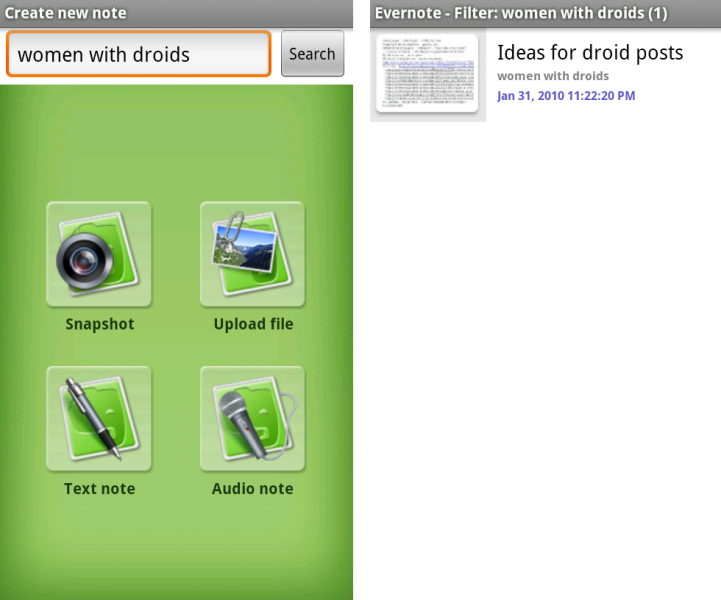
I can either read it on my phone, or on my computer. I usually only use the phone interface for short notes or photo notes, and create and read most longer notes in the desktop application (below) or web browser interface. It’s really simple to use and to integrate into your existing workflow.

Here’s a video I made to demonstrate one way you can use Evernote – to store receipts for future reference to track your personal finances or keep up with business expenditures or tax-deductable purchases..and obviously when I say “what Android is” in the video, I meant “what Evernote is”!
Here are some other creative uses for Evernote I’ve seen on the web:
- Keep track of your vehicle’s maintenance records
- Use it to help keep up with information about seeds you planted in your garden, planting dates, and germination and harvest stats
- Clip recipes for easy search & reference from your kitchen or the grocery store
- Use it as a GTD (Getting Things Done) system
- Store your software serial keys, room dimensions, your license plate, and the sizes of things that are hard to remember like unusual light bulbs and air filters so you can access them when you’re not at home
- You can get rid of that pile of old greeting cards in that box in the basement
- There’s even a service called Shoeboxed that will scan all of your receipts and documents into Evernote for you, and app-enabled scanners that can scan directly to Evernote, too!
- You can search the web for a lot more ideas, like these!
How do you use Evernote on your Android phone? Tell us in the comments!




[…] Fonte:Droidwomen […]
Thanks for this post and the link! I’m actually thinking about buying an android, so this will be way helpful!
Great, glad to be of help! Let us know if you have any questions!P.S. Android is on sale on Amazon right now for $50! I can’t believe how much the price has dropped since I got mine
http://bit.ly/asXfxR
There’s an instructional video about using Evernote on Android from the Evernote team on YouTube here:
http://www.youtube.com/watch?v=1kwHnBt9F4s
I’ve been thinking about ditching RTM to go with Evernote for a while now – everyone says how awesome it is. This post really made me like it – except I feel like it’s missing the element of task management. To me taking a ‘note’ is usually a reminder of something I need to do – and to not be able to schedule a notification alert or recurring reminders on ‘notebooks’ for me is the only downfall.