

Renée’s Home Screen Widgets

For my first “real” post, I’d like to introduce you to a few widgets I find useful. When you install an app on the DROID, it often comes with a widget that can be displayed on your home screen by doing a long press on the background, then selecting it from the menu that pops up.
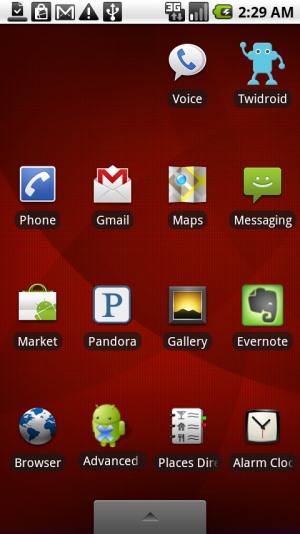
To the left is a screenshot of my home screen, and to the right is my “right home screen” (accessible by swiping right to left on the home screen), where I chose to put my widgets.

The widget in the top right corner of my right home screen is called “Battery Widget” and conveniently displays my current battery charge level. I decided to add this widget since the standard battery icon at the top is small and only gives me a rough estimate of the remaining battery life.
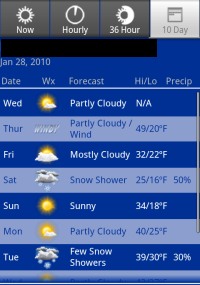
In the middle of the screen you’ll see two widgets. The left is the “Weather Channel” widget, which detects my location using the Droid’s GPS and tells me the current weather. The red exclamation point denotes a weather warning, and an alert is also sent to my phone’s notification area when the weather service issues a warning. I can click on the widget for full weather information, including detailed current weather and hourly, 3-day, and 10-day forecasts.
On the right is my “Google Calendar” widget. This conveniently displays today’s events right on my home screen, and I can click the widget to bring up the full Google Calendar app.
On the bottom is the “Power Control” widget. This provides a quick way to determine which services are on (WiFi, Bluetooth, GPS, Google Sync, and Backlight Brightness), and you can toggle these services with a click on the icon to easily turn off any you don’t need that are sapping your battery!
These are the widgets I’ve found useful so far. What are your favorite Android widgets?





You can get the Google News app that ships on Google’s Nexus One phone on your Droid. It’s very cool. This Droid Forum post explains how to install: http://www.droidforums.net/forum/droid-hacks/9737-google-news-widget-works-droid.html. You have to make sure you have the “Unknown Sources” box checked in your Application settings. You can uncheck it after install if you’re worried about other potentially dangerous apps.
The Google News app sounds great, thanks for the detailed info!
I love the pandora widget. Also, the photo frame.
Can you tell me how to get my name and business on my home screen? Is this even possible and if not I would love to see a widget/app that can do this. It should show even before you slide the unlock bar.
Thanks
Well I haven’t tried this myself, but there are 2 apps that can help you. One is “OwnerInfo widget”, which lets you put text info about the phone’s owner in a widget, and the other is “WidgetLocker Lockscreen” which lets you put widgets like OwnerInfo widget on your lock screen.
Hope this helps!