
Renee’s Homescreen Makeover: LauncherPro follow-up

So, as long-time readers of this blog know already, I’m a fan of the highly-rated LauncherPro and wrote about its basic features when I re-did my homescreen last year. (If you aren’t familiar with LauncherPro, you should read that article first since I’m not going to mention the main benefits again here.)
I have since paid for LauncherPro+, mainly to support the amazing app developer Federico who constantly improves the app and adds neat features, but also to have access to the paid features. Now that I’ve been using it for a while, I wanted to highlight my favorite new features since the last time I wrote about Launcher Pro.
- Virtual Looping – Since you can add extra homescreens with LauncherPro, you may get tired of swiping all the way from the first to the last homescreen regularly. The new version solves that problem by creating an option to pop to the first homescreen when you scroll past the last and vice-versa! It’s a simple feature, but a good one.
- Dock Pop-Ups – One of the best features of LauncherPro is the launcher dock, which has recently been made even better. Now, you can long-press on a dock icon (and remember, you can fully customize the icons and apps on the launcher) and create a “swipe gesture action”. You can set it up to launch a certain shortcut, open notifications, or several other options, but my favorite is the pop-up.
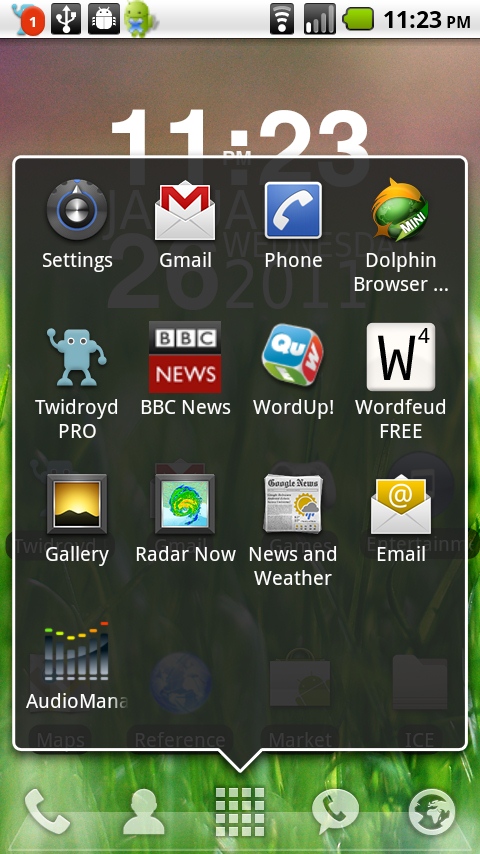
For instance, when I swipe up on the App Drawer Icon, I now get a quick-list of recent apps – and more than you get when you hold down the Home button! You can also set pop-ups to show missed calls, texts, and more.
- Widgets – The paid version, LauncherPro+, has a bunch of great widgets to choose from. I use the calendar widget, which comes in 3 sizes, and can display monthly calendar view or current agenda view.
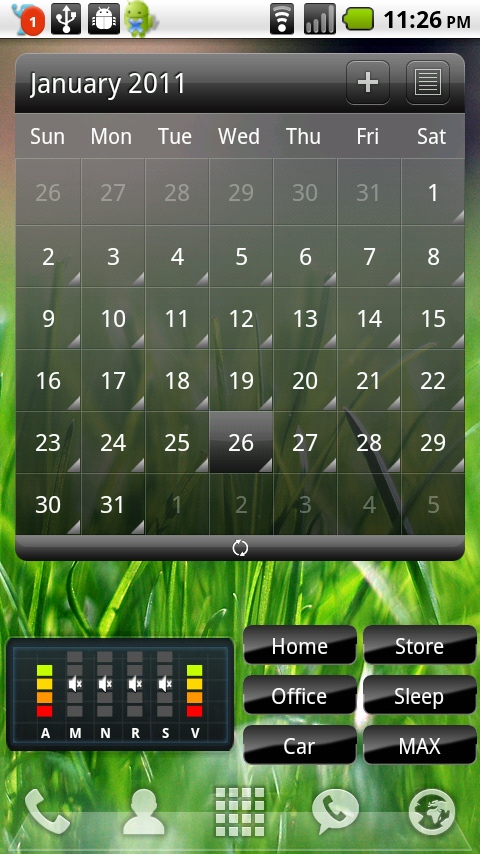
You’ll have to wait for the next edition of Renee’s Homescreen Makeover to find out about those volume widgets at the bottom! 🙂
Here are some of the other widgets that are available:
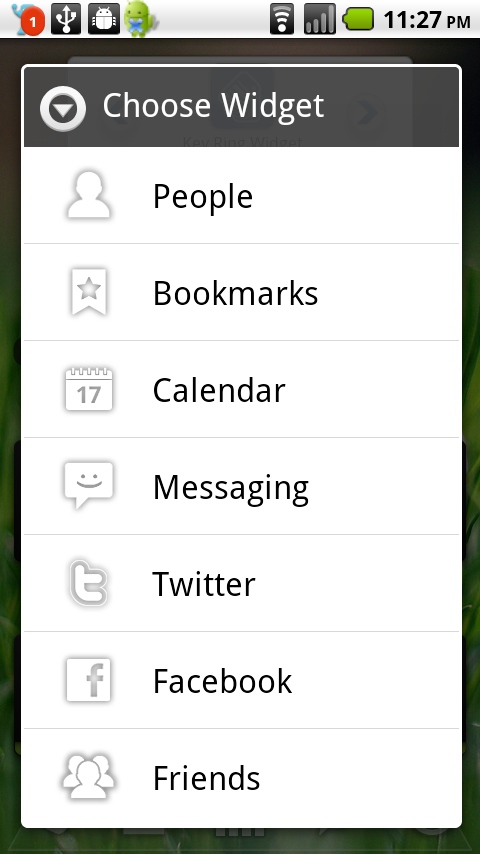
If you have photos of a lot of your contacts, you could use this beautiful “People” widget!

Image from launcherpro.com
If you don’t already have a launcher that you’re impressed with, I encourage you to download the free version of LauncherPro and give it a shot. Then, if you fall in love with it like I did, upgrade to the full version and support the developer! The latest cool update he put out? Transitions! And another feature is supposed to come out very soon… can’t wait to see what it is!
P.S. It has been 1 year since we launched Women With Droids! Thanks for a great first year, everyone – looking forward to many more! See our top posts from 2010 here.





It just keeps getting better and better!!
I love this launcher as well, I have been using it since I got my phone. A few weeks ago I was having some problems with it freezing up on my D2 and had to use a different launcher, it was awful, I hated it…last week I decided to try it again and to my surprise it was working again… I now have the latest update and if is even better. I don’t know why anyone would want to use anything else. LauncherPro+ and Beautiful Widgets makes for an awesome Home screen!
[…] saw this screenshot in my Launcher Pro follow-up review, and I promised to feature the widgets at the bottom in a later […]