
Renee’s Homescreen Makeover: Audio Widgets

This will be my last post in the current “Renee’s Homescreen Makeover series“, I hope you’ve enjoyed it!
You saw this screenshot in my Launcher Pro follow-up review, and I promised to feature the widgets at the bottom in a later post.
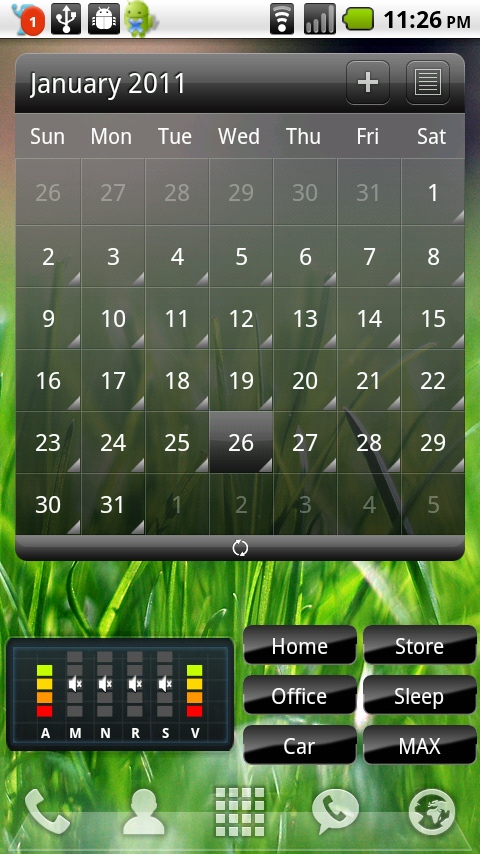
It always bothered me that there was no easy way to tell what the various volume levels were on my phone or set them easily, so I sought out some widgets to help me with that. As a disclaimer, I’ll say that I installed these apps months ago and there’s a possibility there are better ones in the Market now, but these have served their purpose well and I haven’t had any major problems with them.
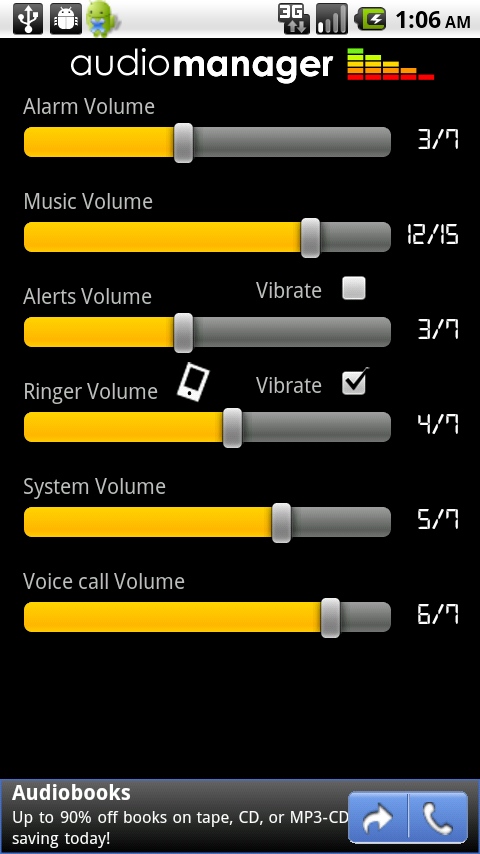
The widget on the left is Audio Manager, which gives a nice overview of all of the different volume levels on your phone. You can spot when you’ve turned your ringer down but your media volume is still up – which helps prevent that Angry Birds theme song from blasting out in a quiet place accidentally 🙂
When you click on the widget, the full Audio Manager interface opens up and lets you adjust all of the sound levels.
The widget on the right is the cVolume Next widget, and requires some setup. When you run the app, you can create pre-set volume profiles for various settings. For instance, I have a hard time hearing my phone ring when I’m shopping in a crowded place and my phone is in my purse, so the “Store” preset has a loud incoming call volume. When I’m sleeping, the only sound I want my phone to make is the alarm clock, so the “Sleep” profile has all other sounds off.
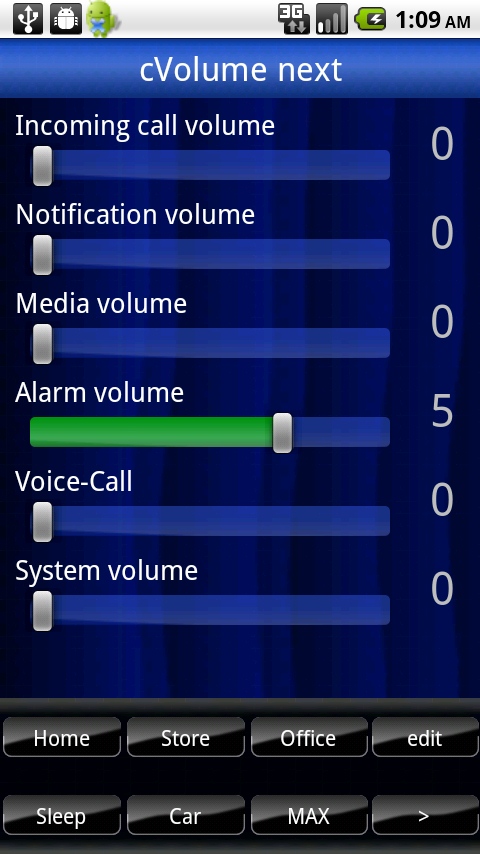
Of course, I could manually set these volume levels using Audio Manager, but the cVolume Next widgets are little buttons that offer one-click sound profile changing, so when I go to bed, I just click the “Sleep” button in the widget on my homescreen and I know all sounds are off but my alarm is still audible.
These handy widgets have made me feel like I have complete control over my volume. Do you use any audio widgets? What do you like about them?




This looks promising! Is there an app that will also you to preset the earpiece volume for different callers–softspoken to booming voice. It is a simple matter to adjust the volume with the side control, but that initial “Mom” from my oldest son whose voice is quite loud, can be a jolt at times.