
App Review: MyBookDroid

A few times in my life, people have given me book journals as gifts. I do love to read, and the journals seemed like a great idea, but somehow they never got used. So now I’m trying it a new way: on Android, of course, with MyBookDroid.
A virtual bookshelf: In the past, after reading a book, you would put it on a bookshelf in your house, giving you a nice visual reminder of what you’d read over the years. Now you might download the book, or resell it online, or check it out of the library. (Yeah, I know, that last option was always available.) Instead of keeping books on your shelves, you can enter them into MyBookDroid, and your list is always with you.
 |
 |
 |
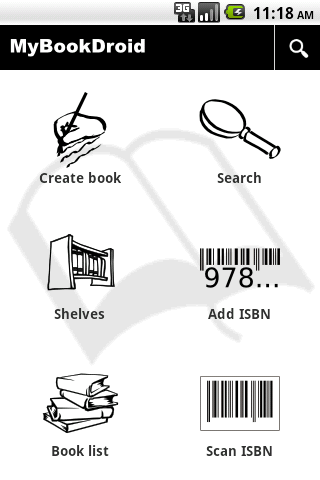
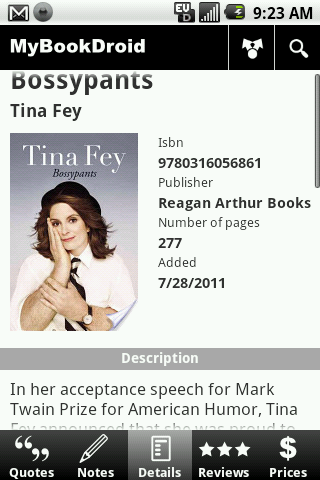
Adding books: If you have a physical copy of a book, use the built-in barcode scanner to scan the ISBN, and the app quickly displays the title, author, cover, publisher, number of pages, and date you added it. If you don’t have the book in front of you, you can search by author, title or keyword, or manually enter the ISBN. Or, if your daughter “published” this particular book in her kindergarten class and she hasn’t gotten around to obtaining an ISBN, the “Create book” feature lets you add all the information manually.
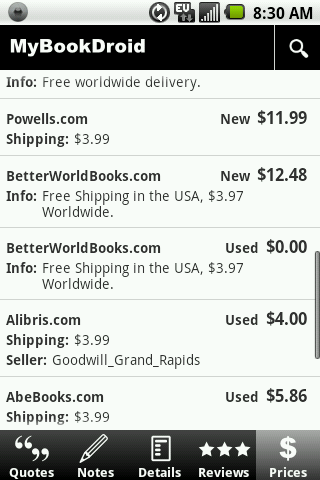
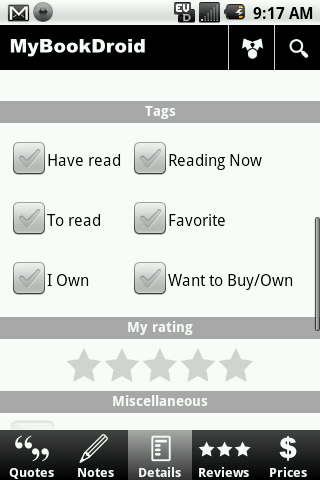
Handy features: Tag each volume as “Have read,” “To read,” “I Own,” “Reading Now,” “Favorite,” or “Want to Buy/Own.” (You can select as many of these as you like.) You can also assign the book a rating, compare prices at online booksellers, find it on Goodreads or Google, or get a list of similar books. Goodreads reviews and ratings are integrated into the app, and you can also add your own notes or quotes from the book.
Goodreads integration: If you’re already a fan of the website Goodreads, then MyBookDroid is a perfect mobile companion. You can import your Goodreads books into the app, and you can use the app to add books to your Goodreads account.
Ease of use: Overall, I’ve found MyBookDroid to be quite easy to use. Even with my tiny keyboard, keeping track of book information and my related notes is definitely easier than it ever was with pen and paper. The barcode scanner has worked every time, and the search function works well too. The only thing that sometimes trips me up is waiting for the Goodreads reviews to load, which can take a while. Overall, if you’re a book lover, I definitely recommend that you check this one out.



Cell Phones & Accessories on Amazon


goodreads has an application as well, so if you do have a goodreads account, it doesn’t make sense to have mybookdroid.