
App Review: Carrr Matey

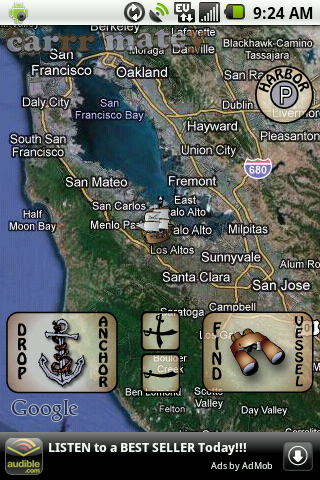 For years now, whenever I lose track of my car in a big parking lot or forget which street I parked on, I’ve been asking: “If we can put a man on the moon, why can’t we get a team of pirates to remind me where I left the car?” At last my entreaties have been answered, in the form of Carrr Matey. The Android Market offers a few apps for finding your car, all with similar functionality; but according to my investigations, this is the only one with a pirate theme.
Dropping anchor: When I’m walking away from my car, I occasionally forget all about paying attention to where I parked. In those situations, Carrr Matey is no use. But more often, I’m thinking, “Hmmm, I should probably remember this spot.” And then I take note of some details, but by the time I’m heading back to the car, I may have forgotten them. This is where Carrr Matey can help.
Once you’ve parked, you open Carrr Matey and select Drop Anchor. Now your location is marked, even if you somehow forget that you’re in the middle of the third row after the middle elevator on the second floor.
As a backup, you can also select Harbor, which lets you note your floor, level, space number, and the color of your parking section. (This is especially handy if you can’t get a GPS signal in a covered parking lot.)
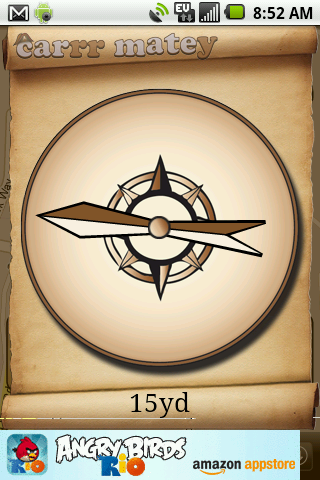 Finding your way back: Once you’ve dropped anchor, you can close Carrr Matey for as long as you like. When you open it back up, select “Find Vessel” to get directions back to your car. Carrr Matey will give you the option of getting walking directions from Google Maps or using a compass, which points you in the direction of your car while also displaying the approximate distance.
Docking timer: When you drop anchor, Carrr Matey asks whether you want to set a timer, which is quick and easy to do. If you’ve parked in a spot with a meter or a time limit, this can give you a handy reminder when your time’s up.
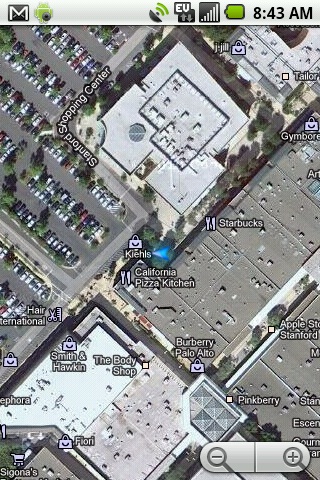
Does it work? Yes. … Sort of. This app is not precise enough to absolutely pinpoint the location of your car using the compass or the walking directions. When I sat in the driver’s seat of my car, the compass said I was 15 yards away, and the walking directions were about the same. But this gets you close enough to visually spot your car, or to hear it beeping when you press the button on your car remote.
People who use Android’s other car-finding apps give similar reports of their accuracy—not perfect, but good enough. I like Carrr Matey best because it adds a little fun and silliness to the task. Come to think of it, I wouldn’t mind getting a pirate theme for some of my other straightforward utilities. My alarm clock and note-taking apps, for example, could benefit from a little buccaneering flair.





Great article, thanks Sonya! I live in a small town so I don’t have parking issues too often, but I can imagine this being really handy in larger towns or when traveling. I like the creative pirate spin they put on it, too!