
Gauge Battery Widget

I recently saw some screenshots of Android phone homescreens online that had hidden status bars, and I really liked the cleaner look. I already had a date and time widget on my homescreen (which I will tell you more about in a future post), and I use LauncherPro which has an option to hide the notifications bar, so all I needed was a nice battery indicator widget and I wouldn’t need the notification bar displayed all the time anymore.
I already had the geekyouup “Battery Widget“, which was accurate and served its purpose, but it looked like… well… a battery, and it wasn’t customizable.

I searched the market for something different (i.e. prettier) and found “Gauge Battery Widget” by Tomas Hubalek. I thought it had a distinctive look and was happy to find there were several versions of the gauge to choose from.
The free version also had some color schemes to choose from and came in several sizes, so I downloaded it and put it on my homescreen to see if I liked it.
Gauge Battery Widget developer screenshot
Now that I’ve had it for a few weeks and I know it works well and I’m OK with having my status bar hidden (it can still be accessed by pressing the menu button), I decided to buy the “donate version” of Gauge Battery Widget both to support the developer and to access the full customization options. The donate version has the same options that the free version has, but also allows you to customize the color of each component of the gauge widget. You can see in the screenshot below that I chose colors to match my morning glory background.
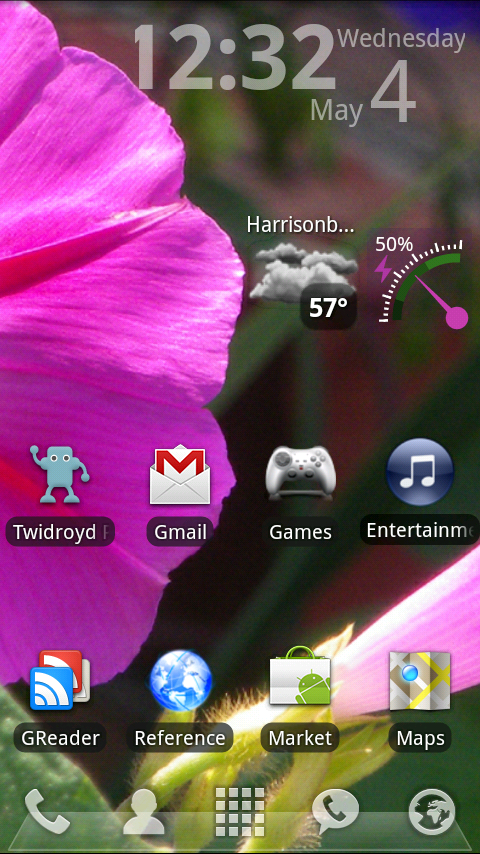
Do you have any widgets on your homescreen that you can customize to match your background? Tell us in the comments!
P.S. The only time that clock widget looks “off kilter” is on Wednesdays during 4-digit times. Of course that’s when I chose to do this post! Oh well. I’ll catch a better time when I post about it!
P.P.S. Ladies, you can upload a screenshot of your Android homescreen to our flickr group here!





Hey-
My whole screen is customized with disney wallpaper and disney icons.