

App Review: Listables!

 Have you ever had one of those “My Droid doesn’t work right” days? Sometimes a hard reboot, restoring your Droid to the factory defaults, can make a world of difference when you start experiencing force closes or unstable apps that you can’t uninstall fully.
The only apps saved in your Market will be those that you paid for – but what about all of those great free apps you’ve installed and can’t live without? Put away that notepad and pen, and use Listables!
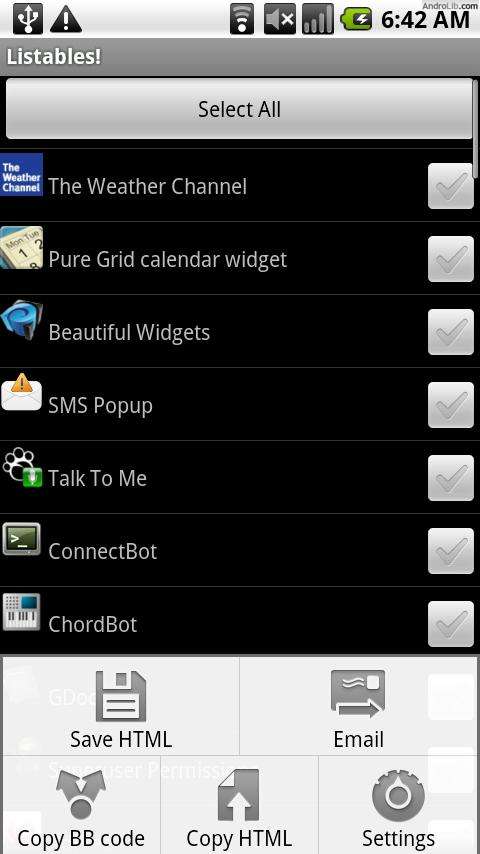
Listables! is a fast and easy way to generate .html files with a list of your installed apps. You can customize the list to only list the apps you really want to reinstall if the time comes. In Settings, check “Use QR Code” so your .html or BBcode list has the QR codes for each app listed. Talk about easy to reinstall – just download Barcode Scanner and start scanning the QR codes in the .html file!
Listables! is simple – and lightweight. The UI is clean and Android-y. You can even email the list to yourself, back it up to your SD card or copy to paste on online message boards right from your phone.
Overall, this app gets 5 of 5 stars. I look forward to seeing it blacklist certain apps – namely the preinstalled ones that come on every Android device, so you can spend less time deselecting apps and more time enjoying “Toss It”.
Download Listables from the Market or save to your AppBrain account:
How do you back up your apps? Let’s hear it in the comments!



Cell Phones & Accessories on Amazon

I downloaded it and emailed myself the list with QC codes. Handy! Thanks!
I backup my apps to the list every few days and save in my drafts folder of my Gmail account. That way, I always have my list handy if I need it!
[…] Listables! […]