
App Review: Starbucks Card

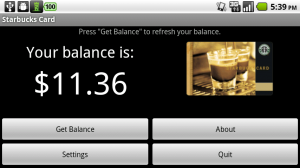 Apps are amazing things. They can be extremely complex, performing multiple functions and actions to make your life just a touch easier. On the flip side, an app can be simplicity itself, designed to do one job and do it correctly. The Starbucks Card app is definitely one of the latter.
The goal of the app is simple: with the push of a button, obtain the current balance of your Starbucks card. That’s it – no flashes, bangs, or flying sparklers coming out of your Android phone. For most of you, this probably sounds rather pointless. If you are a Starbucks fiend like me or you stick to a weekly coffee budget and you like to keep tabs on yourself, then seeing the dollars and cents listed on the screen will bring you a lot of joy.
Setup is extremely easy as well. The only information you need to configure this is the card number and the CSC number, both locatedon the card itself. Enter them into the settings window, and voila! Instant balance access.
Not every app needs to be super-powered. Sometimes, it is the small ones that can be the most helpful. Happy coffee drinking!



The Women With Droids Blog uses BlueHost for web hosting!

I see the name of the app has been changed to “Coffee Card” – I guess Starbucks went after them for trademark violation!
[…] Let’s just hit the “update all” button…wait a sec, where’d my Starbucks Card app go? And what the heck is this Coffee Card? I didn’t install […]