

Handy App: TV Guide

Do you have a TV that won’t display the “info” as you flip through the channels? Or maybe you have a remote-hogging hubby that won’t let you browse to see what’s on? Or maybe you’re out and wondering whether to hit another store or head home to catch that show that you like but always forget what time it comes on?
Enter: TV-Guide USA
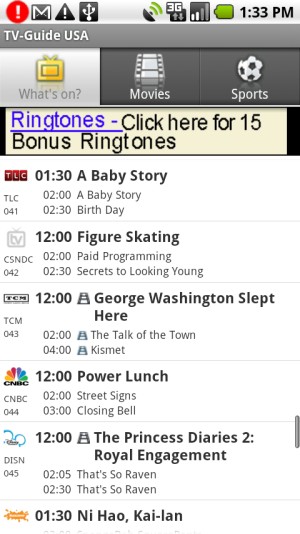
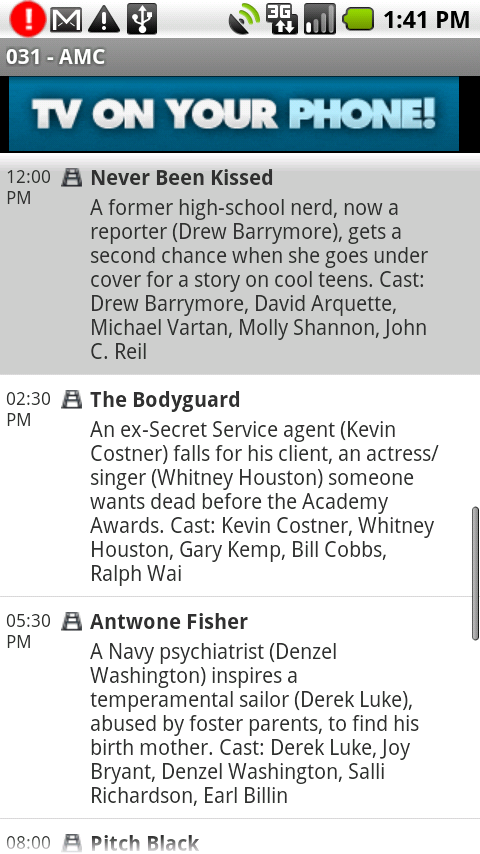
This app tells you what’s playing on all of the major channels right now, as well as displaying the next 2 shows on each channel. If you click on the show, it will show you the info for that show as well as all upcoming shows on the channel.
 |
 |
You can click the tabs at the top of the app to display only Movies or Sports channels. The free version shows an ad at the top, but you can pay to remove the ad and to get the additional feature of being able to filter the display to only show your favorite channels.
I’d imagine you could also just change the locality in the menu to find your favorite shows on a hotel TV when you’re out of town and the channels numbers are all unfamiliar.
It’s a simple app without a lot of features, but it does what it is supposed to. The only thing better would be if it could change the channel for me!



Cell Phones & Accessories on Amazon


What are you using to capture screen shots? I lost the one I had for webshots when my droid crashed and now I can’t find it. But youbseem to have a better one anyway..thanks!
Good question – I actually use the Android SDK package. “How to take screenshots” is actually a post I’ve already started writing that’s due to be published on the blog very soon 🙂
Here ya go!
http://www.womenwithdroids.com/?p=202
Sweet! Thanks!
Streaming NASA TV on my droid:
Often, if I am not near Wifi or G3 etc, NASA TV on UStream/Spacevidcast buffers all of the time. This works to get audio on the droid of NASA TV. I got this to work on mine using this URL!!!:
http://science.ksc.nasa.gov/cgi-bin/rr.pl?nasatv.ra
The solution is Moodio FM. http://www.moodio.fm Moodio FM does not provide any content. All they do is simply convert internet radio streams to formats that are suitable for mobile phones.
On your desktop computer, go to Welcome http://www.moodio.fm ands et up a free account. Search for the station you want to listen to. Most popular stations are already on there. If you find your station, save it as a favorite. If you don’t find your station, and you know the station’s stream url, Find “add a new station” from the main Moodio page to enter the stream url. The instructions on how to find a stream url are also on that page.
So, once you have all your favorite stations saved to My Stations, you go to the Moodio FM mobile site on your phone. m.moodio.fm
Log in with the info from the moodio fm account you just created and you’ll see your My Stations list. Note, you cannot add favorites to My Stations from the mobile site, so make sure to do it on your desktop.
Click the link for one of your stations and you should be playing the station in a few moments. For me the stream comes over the native Android Video player, which is odd, but hey it works. If it’s not working for you, you might need to download the free version of either StreamFurious or DroidLive from Android Market to make it work, but it will work.
I bookmark this and use it when the video from NASA TV on UStream/Spacevidcast buffers due to lack of WIFI/G3 or so many viewers the system is bogged down.
Better to hear it than not ya know?
Cool, thanks for the how-to, russ!
[…] A nice review (with screenshots) by Renee, the woman with a droid, can be found here: http://www.womenwithdroids.com. […]
[…] Tv App For Droid […]