
Android 2.2 “Froyo” Preview: Sweet and Subtle

Guest-contributor Taylor from Autostraddle got her hands on Froyo early and offered to give us a sneak peek of what’s in store! Enjoy.
With Android 2.2 rolling out to more devices any day now, let’s take a look at what to expect. Thanks to HTC’s Froyo leak (whoops!), I managed to manually install the update before it officially hit, so here are a handful of my favorite changes.
1. Speed:
Froyo is zippier across the board. This is probably the centerpiece of 2.2, but it’s also the change you’ll take for granted the soonest. Apps open instantly, browsing is faster and doing just about anything results in instant gratification. Benchmarks indicate that 2.2 is at least twice as fast as 2.1.
2. Scrolling:
Stemming from my dark days with the iPhone OS, one of my only complaints about Android is the (relatively) jerky scrolling. Android 2.2 doesn’t rival the scrolling experience of the iPhone yet, but things do feel noticeably smoother. Especially when flipping between homescreens.
3. Update All Apps:
At last! You can now update all of your apps with one click in the Android market. This cuts down significantly on time and the annoyance of clicking a button over and over (and over) again.
4. Rotation:
You can now rotate many apps 270 degrees. If you’ve got one of the new mega-screens, like the Droid X, it only makes sense to stay in landscape when you can, especially in Gmail and other app mainstays. 2.2 still doesn’t support homescreen 360 degree rotation unfortunately, so you’ll have to look into a mod like Launcherpro if you’d like to rotate to the max.
5. Volume Adjustment Tone:
This may not have bugged anyone else, but the super-shrill tone that played whenever I toggle sound up or down using the volume rocker is a thing of the past. The new tone is much, much easier on the ears.
Other Android 2.2 updates:
– Flash support!
– Video recording in low-light conditions using the LED flash
– 8 most recent apps when holding down the home button (up from 6)
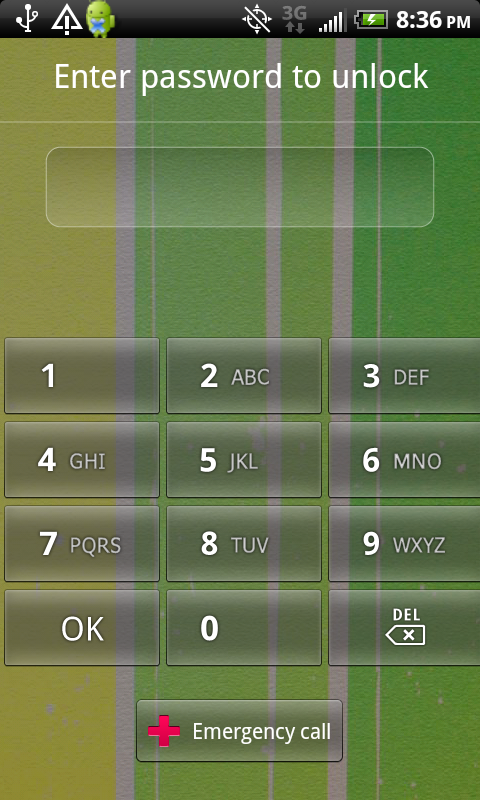
– Numeric pin passwords to unlock the phone (you can still trace a pattern, if you prefer!)
– Wireless and USB tethering (Note, word is that tethering won’t be supported on Droid 1 -Renee)
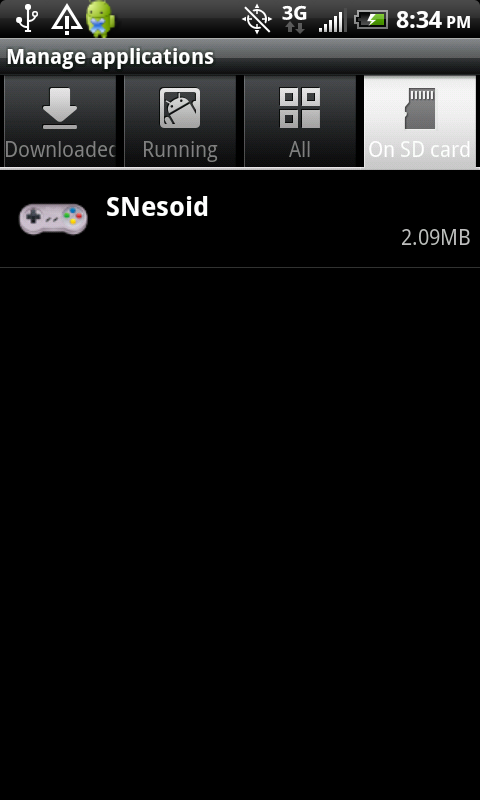
– Ability to store apps on SD Card
Check out even more Froyo updates over at Android Central.
Overall, while I’m loving 2.2, the update serves to enhance the Android experience without radically overhauling it. I’ve been cruising around on Froyo for two days now, and the changes seem to have already melted into the background for me. Some changes are biggies, like the ability to store apps on SD and the native tethering support, but most are pleasant little tweaks. That’s not to say 2.2 isn’t a noticeable step up: it’s a subtle upgrade that becomes second nature quickly, raising the bar for the future of Android by smoothing out the experience we know and love. Keep an eye out for Froyo on your own Android device– it might hit any minute now!





Hey when is the Froyo 2.2 update going to be available for the original droid?
It was supposed to be rolled out already, but apparently they came across some problems and delayed it.
http://www.droid-life.com/2010/08/06/rumor-froyo-ota-update-for-droid-delayed-until-august-12th/?utm_source=feedburner&utm_medium=feed&utm_campaign=Feed:+DroidLife+(droid+life)